Deploy anything.
Repo, folder, template — or just describe it.
 WordPressCMS & Websites · 14 installs · Free›
 NextcloudStorage · 1 installs · $5.05/mo›
 2FAuthSecurity · Free›
 7 Days to DieGame Servers · $20.00/mo›
 ActivepiecesAutomation · $4.22/mo›
 Actual BudgetProductivity · Free›
 AdGuard HomeNetworking · Free›
 Adguard Home SyncNetworking · Free›
 AdminerDeveloper Tools · Free›
 AFFiNEProductivity · $4.32/mo›
 Alpine DesktopDesktops · $12.22/mo›
 AnseAI & LLM · Free›
 AnythingLLMAI & LLM · Free›
 Apache HTTP ServerCMS & Websites · Free›
 Apache TomcatCMS & Websites · Free›
 Arch DesktopDesktops · $12.22/mo›
 ArchiveBoxProductivity · Free›
 Atuin ServerDeveloper Tools · Free›
 AudiobookshelfMedia · Free›
 autobrrMedia · Free›
- Node.js
- Bun
- Deno
- Python
- Go
- PHP
- Ruby
- Java
- Rust
- Elixir
- Gleam
- .NET
- C/C++
- Shell
- Static HTML
- PostgreSQL
- MySQL
- MariaDB
- MongoDB
- Redis
- ClickHouse
- TimescaleDB
Your apps.
Your own cloud.
Cloady is a cloud application platform by NeptoLab for hosting apps and databases. Pick your CPU, RAM and SSD — your price follows the resources you declare, rather than requests or invocations. Start with a free workspace and scale when you need more capacity.
just now

9d 2h
2d 1h
A workspace is a tiny cloud you actually understand.
Three flat monthly rates for CPU, RAM and disk. Deploy as many apps as you like — your price follows what they declare, and changes the moment you scale.
A fixed price for your resources
You are billed for exactly the CPU, RAM and SSD your apps declare, at three flat monthly rates, with a free allowance included in every workspace. Each app can use up to 16 vCPU, 92 GB RAM and 1 TB SSD, split across containers and volumes however you like. Monitor live usage while your bill stays based on subscribed capacity.
Apps made of services
A WordPress app bundles wordpress + mysql. Restart, scale, or shell into each container independently.
Deploy any way you like
Push to GitHub for auto-deploys, drag a folder for instant static hosting, or pick from a catalog of ready-made services.
TLS & logs included
Every service gets a free certificate and a live log tail — wired up the moment it boots.
Deploy close to your users
Germany, Singapore, US East, and US West — pick the one with the lowest latency for your audience.
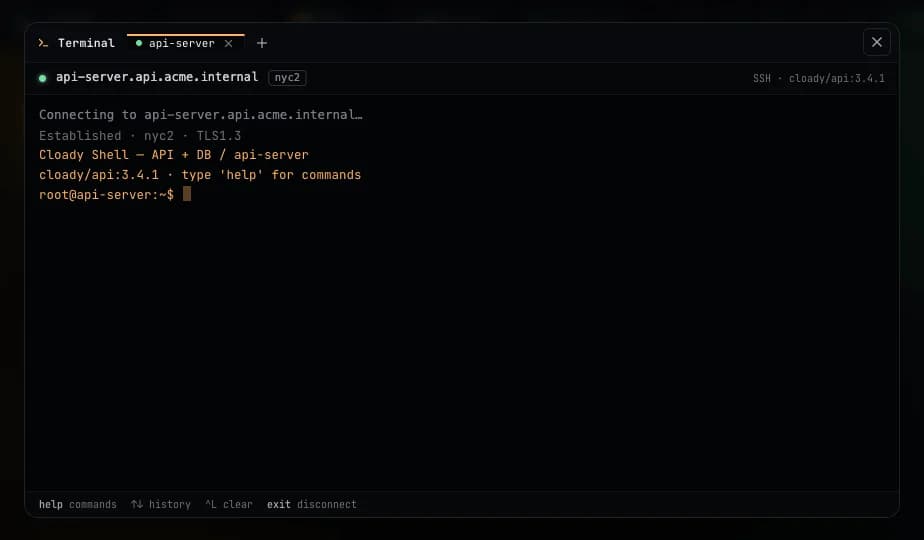
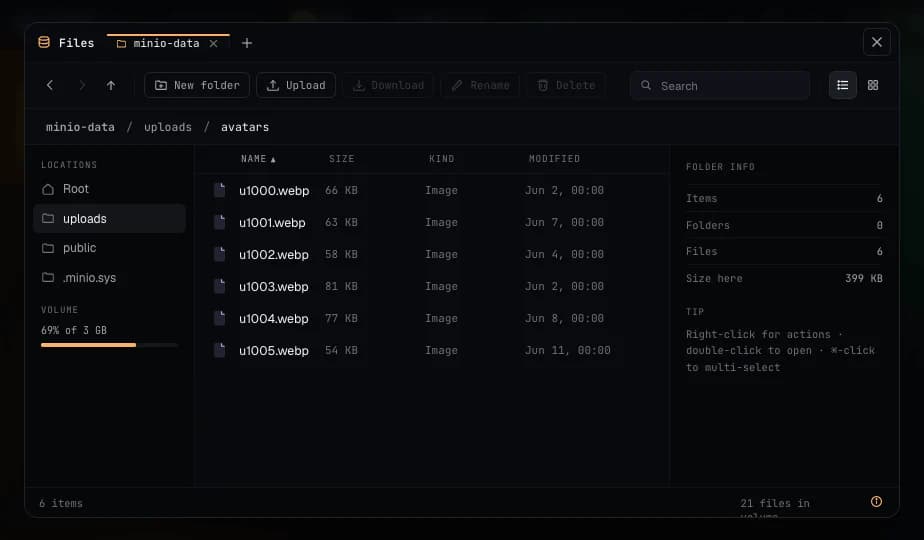
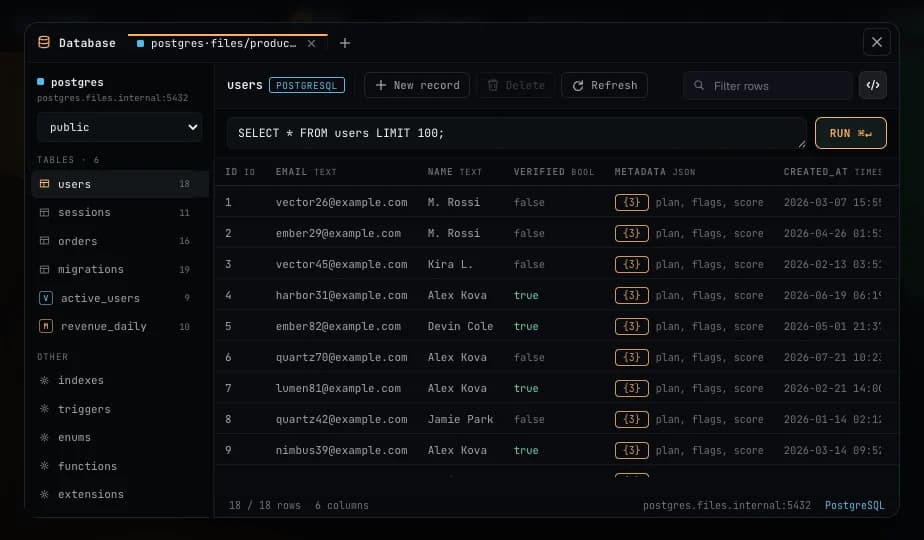
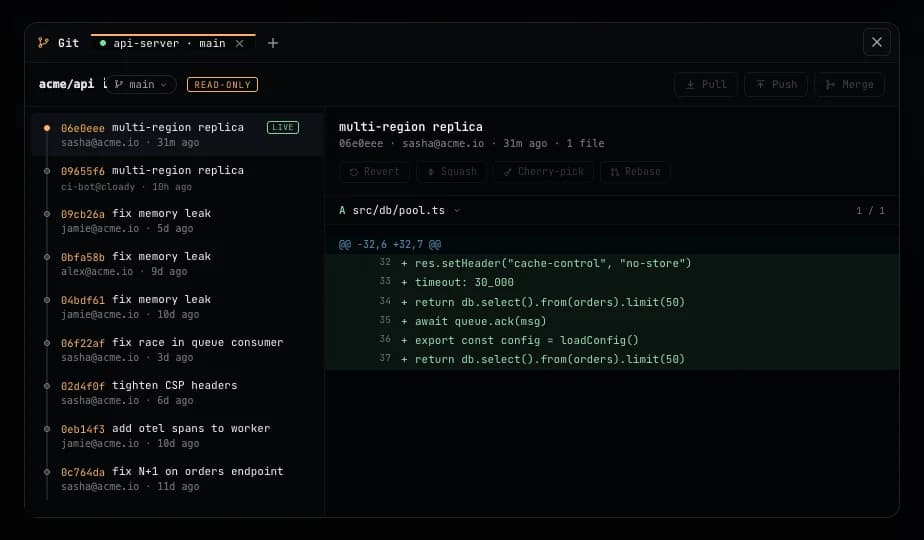
Everything you’d SSH in for — one click away.
Every workspace ships with the tools you’d otherwise install, host and secure yourself. They open on top of any service, with nothing to set up.
Deploy where your users are.
Deploy to any region at the same flat price everywhere.
Three numbers. That's your whole bill.
CPU, RAM and SSD at flat rates — priced like a VPS of the same size, with the platform included. No plans, no metering, no egress fees.
- CPU4 vCPU × $1.67$6.66
- RAM8 GB × $0.834$6.67
- SSD disk200 GB × $0.0333$6.67
- Networkunlimited
Same machine, elsewhere
4 vCPU · 8 GB · 200 GB · 200 GB traffic/moPrices checked 2026-09-19 · details and sources
Unit-priced providers at 730 h/month, except Railway at 30 days.
Hetzner Cloud cpx42 · $82.59 · includes 320 GB disk
Additional storage: 0 GB × $0.0767/GB = $0.00/mo, included in total.
unmanaged VPS · shared vCPU · incl. one IPv4
Cheapest Hetzner Cloud server type whose cores and RAM cover the request, plus one primary IPv4 and a block volume for any disk beyond the server's own; every non-deprecated line in the location is a candidate.
DigitalOcean s-4vcpu-8gb-240gb-intel · $64.00 · includes 240 GB disk
Additional storage: 0 GB × $0.1/GB = $0.00/mo, included in total.
unmanaged VPS · shared vCPU · premium
Cheapest Droplet size available in the region whose vCPUs and RAM cover the request, plus block storage for any disk beyond the Droplet's own; every published line is a candidate.
Fly.io performance-4x 8GB + 200 GB vol · $177.08
Additional storage: 200 GB × $0.15/GB = $30.00/mo, included in total.
Fly Machine · performance · network block volume
Cheapest named Machine preset (shared or performance) whose CPUs and RAM cover the request, plus a Fly Volume for the disk; a shared CPU is a fraction of a core.
Render 4c-8g + 200 GB vol · $251.25
Additional storage: 200 GB × $0.25/GB = $50.00/mo, included in total.
managed · network block volume
Cheapest web service instance type whose CPU and RAM cover the request, plus a persistent disk for the storage; prices are the same in every Render region.
AWS Fargate Graviton 4 vCPU / 8 GB + 180 GB vol · $206.46 · includes 20 GB disk
Additional storage: 180 GB × $0.36/GB = $64.80/mo, included in total.
serverless containers · Graviton · EFS network FS
Estimated · per-second · priced at 730 h
Request snapped up to the smallest legal Fargate task size, priced per vCPU-hour and GB-hour for 730 hours; 20 GB ephemeral storage is included and any disk beyond it is EFS Standard, a network file system.
Railway Pro plan · 4 vCPU / 8 GB metered + 200 GB vol · $200.01
Additional storage: 200 GB × $0.1501/GB = $30.02/mo, included in total.
managed · network block volume
Estimated · per-second · 30-day month · plan credit applied
Per-second vCPU, RAM and volume rates for a 30-day month, billed as the larger of usage and the plan fee (Hobby up to a 5 GB volume, Pro above); prices are the same in every Railway region.
Sells no mountable disk, so this shape cannot be built here.
serverless functions · not an always-on server
Estimated · Active CPU · modeled 100% busy
Fluid compute Active CPU and provisioned memory for the region, modeled at 100% busy for 730 hours under the Pro plan's $20 minimum; Vercel sells no mountable disk at all — its Blob store is object storage behind an API, which is a different product from a volume, so storage is shown as unavailable rather than priced.
Deploy from your tools — or your agent.
Deploy, read logs and manage services from Claude, Cursor, your terminal, or your own automation — with REST, SDKs, Terraform, MCP and scoped tokens.
// ~/.config/claude/mcp.json
{
  "mcpServers": {
    "cloady": {
      "command": "npx",
      "args": ["-y", "@cloady/mcp"],
      "env": { "BEARER_TOKEN_CLOADY": "cldy_••••" }
    }
  }
}

// then, in Claude:
"Deploy github.com/acme/api to my Acme workspace
in eu1 and show me the live URL."Before you deploy.
How Cloady hosts your apps, what you pay and what to bring when you move.
- What is Cloady?
Cloady is a cloud application platform by NeptoLab. Developers and small teams can deploy applications and databases from GitHub, Docker images, uploaded folders or ready-made templates, and manage them in one workspace.
App and database hosting guide →- What is included in the free tier?
A workspace is free while its applications fit within 0.5 vCPU, 1 GB RAM and 5 GB SSD. The free tier includes 200 GB of traffic. No card is needed to start. Once any resource exceeds the allowance, the workspace's full resource total is billed; the allowance is not a discount on paid capacity.
How capacity is billed →- How much does paid hosting cost?
The calculator's resource presets are Small at $6.00/month, Medium at $20.00/month, Large at $65.00/month, Max at $120.00/month. Capacity between presets is priced between them. Billing follows declared CPU, RAM and SSD rather than requests or actual usage. Paid capacity includes unlimited network traffic. Optional managed backups add 20% to the resource price of backed-up apps.
Calculate your resource price →- Can I run an application and its database together?
Yes. An application can contain multiple services and persistent volumes, such as WordPress with MariaDB. You can also deploy a database as its own application. Inspect the template's services, storage and exposed endpoints before deploying.
Browse database templates →- Can I move from Railway, Render or Vercel?
Cloady can import supported service configuration for review before deployment. Database contents, uploaded files and volumes are not copied by the importer. Migrate data separately, test the new app and then update your domain. Serverless and edge features may need changes to run as a long-lived server.
Read the migration guide →- Can an AI agent deploy to Cloady?
The Cloady MCP server exposes platform tools to compatible AI clients. You can also automate deployments with the CLI, REST API or Terraform provider. Access is authenticated with a Cloady API token.
Connect an MCP client →
Ship your first app.
Point us at a repository, drop a folder, or bring one over from Railway, Render or Vercel, and watch it go live in under a minute.